Win cases, not battles with paperwork.
The IJ Litigation Management System gives our legal team a centralized hub to track cases, log case entries, and coordinate staff — so nothing falls through the cracks.
| Case Name | Status |
|---|---|
| Johnson v. City Development Authority | Filed |
| Patel v. State Licensing Board | Investigation |
| Williams v. County Zoning Commission | Appeal |
| Garcia v. Professional Standards Board | Board Approval |
| Thompson v. Municipal Housing Authority | Filed |
Replace fragmented workflows with a single source of truth
We used to juggle spreadsheets, email threads, shared drives, and — yes — Teams messages to track 100+ active cases. The LMS brings everything into one place.
Eliminate Manual Tracking
Stop maintaining case information across multiple spreadsheets. Every update is logged, searchable, and visible to the right people instantly.
Role-Based Access
Attorneys see their assigned cases. Paralegals manage case entries across all cases. Viewers get read-only access. Everyone sees exactly what they need.
Never Miss a Deadline
Critical court dates, hearings, and trial deadlines are tracked in a unified calendar view with chronological case entry timelines.
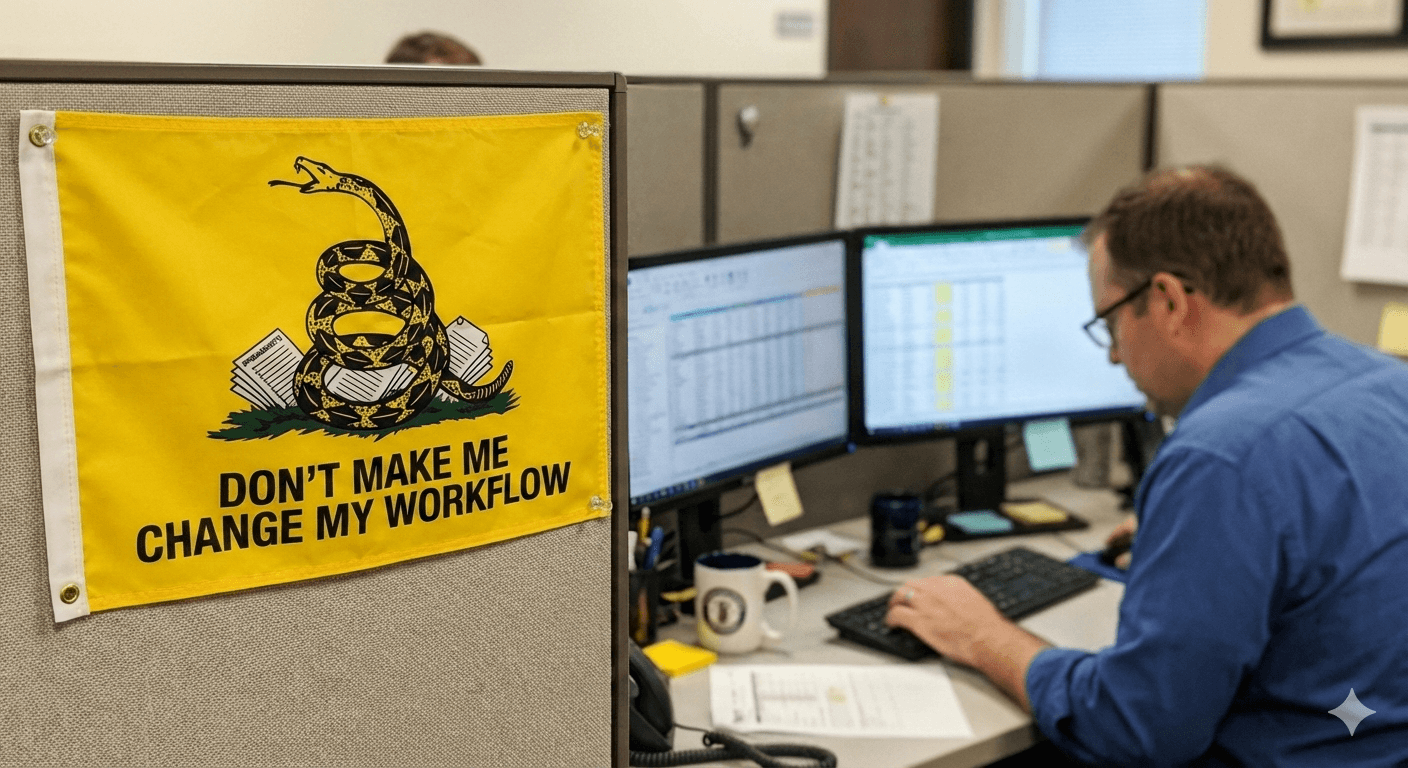
“But aren't we libertarians who rebel against imposed systems?”
Guilty as charged. That's exactly why the LMS wasn't bought off a shelf and forced onto the team. It was built here, from the ground up, specifically to replace the workflows we already use — not to invent new ones.
Let's be honest: some of our trackers, spreadsheets, and reporting templates have been around longer than a few of our litigators have been alive. They still get the job done — IJ has won landmark cases with them. But with a growing team, an expanding portfolio, and ambitions to take on even more fights, the duct tape is starting to show.
The LMS was designed to be as change-free as possible. Same information, same workflows, same reports — just faster, more reliable, and without the version-control nightmares. If it feels like the old way but better, that's the point.
Everything our legal team needs
Four powerful modules designed for how we actually work — from case intake through appeals and reporting.
Case Management
Centralized repository for all case data — status pipeline, court details, client information, staff assignments, and document links.
Case Entries
16+ specialized entry types covering rulings, hearings, trials, staffing changes, and more. Chronological timeline with calendar view.
Staff Management
Searchable staff directory with profiles, photos, and contact details. See who's working on what across the organization.
Report Generation
Auto-generated reports replace hours of manual compilation. Case entry sheets, weekly reports — one click.
Track every case from investigation to close
A powerful case table lets the team search, filter, and sort across the entire portfolio. Drill into any case to see rich details including status pipeline, court information, client records, staff assignments, and document links.
- 5-stage status pipeline visualization
- Searchable & filterable case table
- Pillar and subpillar classification
- Staff assignments per case
| Case Name | Status |
|---|---|
| Johnson v. City Development Authority | Filed |
| Patel v. State Licensing Board | Investigation |
| Williams v. County Zoning Commission | Appeal |
| Garcia v. Professional Standards Board | Board Approval |
| Thompson v. Municipal Housing Authority | Filed |
Motion to Dismiss Denied
Court denied defendant's motion to dismiss. Case proceeds to discovery phase.
Status Conference Scheduled
Status conference set for Feb 10, 2026 at 10:00 AM ET before Judge Williams.
Opposition Brief — Torres
R. Torres assigned to draft opposition to summary judgment. Due Feb 1, 2026.
J. Park Added to Team
Paralegal J. Park assigned to assist with discovery document review.
Board Approved — Unanimous
IJ Board of Directors unanimously approved filing this case.
Complaint Filed in E.D. Virginia
Initial complaint filed. Case assigned to Judge Williams.
A complete record of every case event
Log rulings, hearings, trials, staffing changes, board votes, and more with 16+ specialized entry types. Every entry creates a permanent audit trail with timestamps and attribution.
- 16+ specialized case entry types
- Chronological timeline with info cards
- Calendar view of upcoming events
- File uploads for litigation memos
Know our team and who's on what
A searchable staff directory with detailed profiles makes it easy to find contact information, see assigned cases, and understand who's working on what across the organization.
- Searchable & filterable directory
- Staff profiles with photos
- Assigned cases grouped by status
- Contact details at a glance
| Name |
|---|
SM Sarah Mitchell |
RT Robert Torres |
JP Jessica Park |
JC James Chen |
MD Maria Davis |
Reports
Auto-generated from live case data
Weekly Litigation Report
This week's filings, rulings, hearings, and upcoming deadlines across all active cases.
Case Entry Sheet
Complete case history — auto-generated from logged entries with PACER data merged.
Potential Case Timeline
Investigation pipeline with board vote dates, assigned staff, and current status for all potential cases.
State Office Report
Cases filtered by state office with status, assigned attorneys, and recent activity summaries.
Upcoming Deadlines
All brief assignments, hearing dates, and trial dates due in the next 30 days.
Stop compiling. Start reading.
Hours of manual data compilation — copying from PACER, chasing attorney emails, reformatting spreadsheets — replaced by auto-generated reports built from live case data. One click, always current.
- Weekly Litigation Report — one click
- Case entry sheets with PACER data merged
- State office reports filtered by location
- Potential case timeline always current
It works alongside how we already work
The LMS doesn't change how we practice law. Briefs still get written in Word. Research still happens in Westlaw. Discovery still flows through Netdocs. The LMS is the connective tissue that keeps everyone aligned — a single place to see what's happening, what's coming up, and who's doing what, without replacing the tools we rely on every day.
Write in Word
Draft briefs, memos, and motions in Microsoft Word exactly as before. The LMS links to documents — it doesn't try to replace them.
Files Stay in Netdocs
Case documents live where they've always lived. The LMS links out to Netdocs, Teams, and other sources — no migration needed.
Stay Aligned as a Team
The LMS is where we go to see the big picture — case status, assignments, upcoming dates, and recent activity — all without interrupting anyone.
Deadlines, tasks, and everything else — where you work
The LMS works within Outlook so your workflow doesn't have to change. Case deadlines, hearing dates, and tasks from the LMS appear in your Outlook calendar and task list — no switching apps or copying dates. You stay on top of what matters without leaving the tools you already use every day.
- LMS deadlines and hearings sync to Outlook Calendar
- Tasks and assignments show up in Outlook Tasks
- One place for work — no duplicate data entry
Just ask
Need a quick answer? The LMS AI assistant lets the team ask questions in plain English and get instant, accurate responses pulled from live case data. No clicking through menus or remembering which tab to open.
- Ask about case status, assignments, or upcoming dates
- Get answers drawn from real-time LMS data
- Skip the clicks — type a question and get context instantly
- Available to every team member from any page
LMS Assistant
Ask anything about cases, staff, or case entries
IJ Case Management
nowOrder Issued in Detroit Forfeiture
A new ruling has been entered — motion for summary judgment granted. Tap to view details.
1:13 AM
Tuesday, July 28
Hearing Reminder
Johnson v. City — Status conference tomorrow at 10 AM
New Brief Assignment
Patel v. Licensing Board — Opposition due Feb 28
Important updates find us
When a ruling is issued, a hearing is scheduled, or a staffing change is made, the people who need to know get notified — right on their phone. No need to check the system constantly; the system comes to us.
- Push notifications for critical case events
- Rulings, orders, and new assignments delivered instantly
- Hearing and deadline reminders before they arrive
- Configurable — choose which notifications matter most
Built for how our team works
Global Search
Find any case, staff member, or case entry instantly with full-text search across the entire system.
Calendar Views
See upcoming hearings, trials, deadlines, and case dates in a unified calendar with event details.
Granular Permissions
7 distinct roles ensure everyone sees exactly what they need — from read-only viewers to full case editors.
Activity Trails
Every change is logged with timestamps and attribution, creating a complete audit history for every case.
Ready to streamline our litigation workflow?
Sign in to the Litigation Management System and start managing cases more effectively today.